Receive, notify and hand over with a QR ticket
A laundry or a repair shop lives on giving the right item to the right person. The pickup ticket does it in seconds.
1. Turn on validation
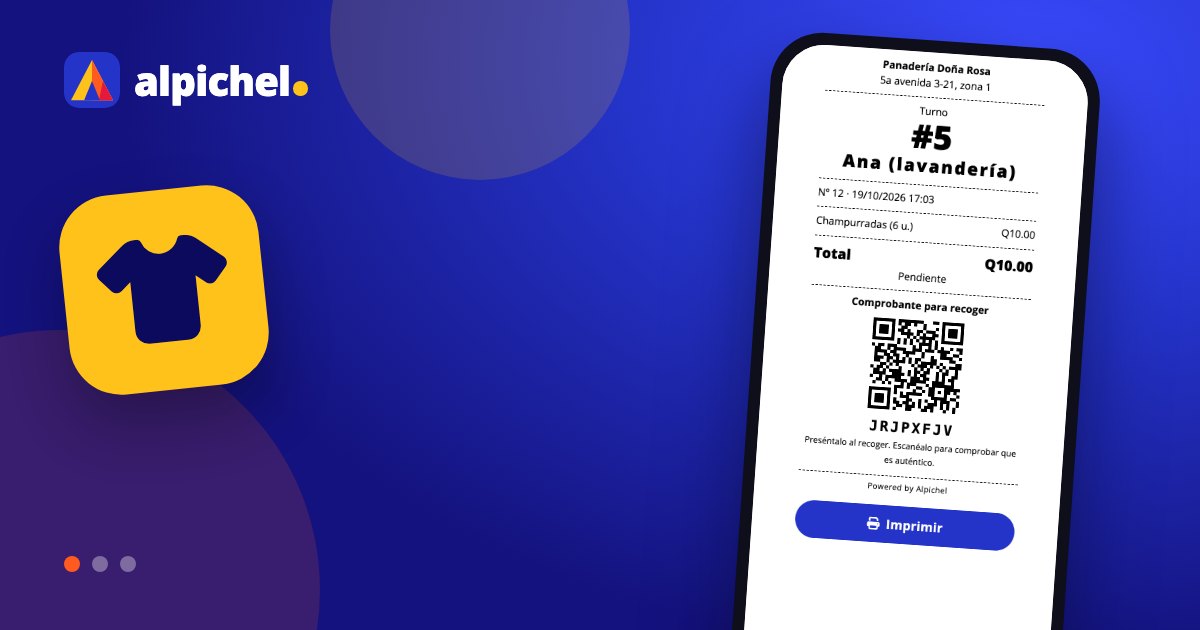
In More → Settings → Pickup ticket, tick "Validate pickups with the ticket". From then on ready orders wait until you hand them over and the printed ticket has its QR.
2. Receive and give the ticket
Record the order with the customer name and WhatsApp, charge upfront or at the end, and print the ticket or send it on WhatsApp. When it is done, mark it ready: the customer gets a message.
3. Scan at pickup
Scan the ticket QR with your phone (or type the code in the Queue). If it is valid, tap "Deliver". If someone comes back with the same ticket you will see "This receipt was already used".
Keep reading
 Guides
Start selling in 10 minutesStep-by-step guide to get Alpichel running: business type, catalog, team, cash register and first sale, in under 10 minutes.
Guides
Start selling in 10 minutesStep-by-step guide to get Alpichel running: business type, catalog, team, cash register and first sale, in under 10 minutes.
 Guides
Control your inventoryPractical inventory guide: what to count, how to set minimums, log purchases with cost, run counts and reduce losses.
Guides
Control your inventoryPractical inventory guide: what to count, how to set minimums, log purchases with cost, run counts and reduce losses.
 Guides
Reconcile your registerGuide to daily cash reconciliation: opening cash, expenses, tips, payment methods and how to investigate differences.
Guides
Reconcile your registerGuide to daily cash reconciliation: opening cash, expenses, tips, payment methods and how to investigate differences.
